help anyone. My skid steer cat 289c I hop in start it I can lift arms up but as soon as I come down on the arms it will come down a fraction then locks out the hydraulics but the lockout light doesn’t come up the air filter restriction light comes on switch it off and it all goes away until I come down on the arms again the air filter isn’t restricted and the sensor is working fine I have also checked the door switch and arm rest switch they ar also good? Not getting any codes either. Any ideas would be appreciated.

-
Thank you for visiting HeavyEquipmentForums.com! Our objective is to provide industry professionals a place to gather to exchange questions, answers and ideas. We welcome you to register using the "Register" icon at the top of the page. We'd appreciate any help you can offer in spreading the word of our new site. The more members that join, the bigger resource for all to enjoy. Thank you!
You are using an out of date browser. It may not display this or other websites correctly.
You should upgrade or use an alternative browser.
You should upgrade or use an alternative browser.
Cat 289C hydraulics locking out but no code.
- Thread starter Casper16
- Start date

Nige
Senior Member
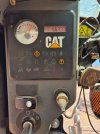
Are you reading Codes with an external scan tool.? Because you certainly won't read them with the panel in your photo.Not getting any codes either.
A JMP-prefix machine I assume.?
Nige
Senior Member
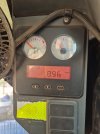
Post a photo of the panel on the other side please.I’m not getting any codes out of the screen on the other side I just posted the photo for reference to the indicator lights.
I was referring to the machine Serial Number. I assume it starts with JMP followed by xxxxx.?I’m unsure what you mean by jump prefix?
Post a photo of the panel on the other side please.
I was referring to the machine Serial Number. I assume it starts with JMP followed by xxxxx.?
Ohh I see no JMP number is
RTD00475
Attachments
Nige
Senior Member
Ah, so you have a Series 2 machine. As you didn'tsay that I assumed that is was a Series I.Ohh I see no JMP number is
RTD00475
From the LH panel what do you have in the way of stored Codes and/or Events.?
Ah, so you have a Series 2 machine. As you didn'tsay that I assumed that is was a Series I.
From the LH panel what do you have in the way of stored Codes and/
No getting anythingAh, so you have a Series 2 machine. As you didn'tsay that I assumed that is was a Series I.
From the LH panel what do you have in the way of stored Codes and/or Events.?
No getting anything
Any ideas mate would be appreciated thanksAh, so you have a Series 2 machine. As you didn'tsay that I assumed that is was a Series I.
From the LH panel what do you have in the way of stored Codes and/or Events.?
Nige
Senior Member
When you say there is nothing can I ask how you are accessing the Codes/Events on the LH screen.?
Nige
Senior Member
They don’t display automatically. Let me find a copy of the procedure to get them to show up.I can’t seem to get them to display on the screen unless you have a trick on finding them so I’m assuming there are none if they are not showing up.
Nige
Senior Member
I just had to check to make sure I had the procedure correct.Let me find a copy of the procedure to get them to show up.
With the key ON, to entor Service Mode press and hold the two outer buttons below the screen for 3 seconds then release. That puts you straight into Service Mode 1.
There are 4 Modes in total that show Diagnostic Codes and Events.
Mode 1 - Active Diagnositc Codes.
Mode 2 - Logged Diagnostic Codes.
Mode 3 - Active Events.
Mode 4 - Logged Events.
In each Mode however many Codes/Events that exist should scroll one after the other until the display comes back to the first one on the list. In some panels it is necessary to press and release the centre button once to scroll from the currently-displayed Code/Event to the next one.
Each Diagnostic Code will display on the screen in 2 steps. First the module identifier (e.g. 039) then after 1 second the component and fault mode (e.e. 2473 03).
To move from one Mode to the next one, press the RH button once and release.
To exit from Service Mode back to Operation Mode, press and hold the two outer buttons for 3 seconds and release.
Thanks mate,I just had to check to make sure I had the procedure correct.
With the key ON, to entor Service Mode press and hold the two outer buttons below the screen for 3 seconds then release. That puts you straight into Service Mode 1.
There are 4 Modes in total that show Diagnostic Codes and Events.
Mode 1 - Active Diagnositc Codes.
Mode 2 - Logged Diagnostic Codes.
Mode 3 - Active Events.
Mode 4 - Logged Events.
In each Mode however many Codes/Events that exist should scroll one after the other until the display comes back to the first one on the list. In some panels it is necessary to press and release the centre button once to scroll from the currently-displayed Code/Event to the next one.
Each Diagnostic Code will display on the screen in 2 steps. First the module identifier (e.g. 039) then after 1 second the component and fault mode (e.e. 2473 03).
To move from one Mode to the next one, press the RH button once and release.
To exit from Service Mode back to Operation Mode, press and hold the two outer buttons for 3 seconds and release.
So active codes I have
2477-3. And 2474-3
Nige
Senior Member
Now we are getting somewhere.
Those are both joystick Codes.
2474-3 is for the LH joystick fore/aft position sensor.
2477-3 is for the RH joystick fore/aft position sensor.
It seems a bit strange that they have both come up at the same time.
Seeing as you are having issues with the bucket raise/lower I would suggest to diagnose the RH joystick Code first. See attached.
Do you have a multimeter capable of measuring duty cycle.? It would help a great deal with diagnostics.
Those are both joystick Codes.
2474-3 is for the LH joystick fore/aft position sensor.
2477-3 is for the RH joystick fore/aft position sensor.
It seems a bit strange that they have both come up at the same time.
Seeing as you are having issues with the bucket raise/lower I would suggest to diagnose the RH joystick Code first. See attached.
Do you have a multimeter capable of measuring duty cycle.? It would help a great deal with diagnostics.